Research & User Feedback
Renewal teams were already telling us where the friction was
Before proposing a solution, I gathered feedback directly from Renewal Managers, Account Managers, and Customer Success teams on how they actually worked with customer data day to day. A consistent pattern emerged: information sat in the right place technically, but not in a place anyone could reach quickly.
I must do a lot of research on my customer, so I engage informed and with confidence.
I do not have access to all the data and/or must tap multiple sources.
I have to be well-coordinated with the account team, including knowing what opportunity they are pursuing and how we best complement our selling efforts.
Problem Statement
A gap between what users need and what the system provides
Users needed timely, accurate access to a customer's information to do their jobs effectively, but the existing system didn't provide that data or functionality in one place. The result was frustration, inefficiency, and knock-on effects on customer service and business outcomes — a gap between user needs and system capability that needed to be closed to improve information accessibility and overall satisfaction.
Current Workflow
Four screens and multiple decisions just to reach one customer
Reaching a single customer's C360 record meant moving through the Renewals Console (SFDC), into the Renewals Console Home on Experience Cloud, selecting the specific customer, and only then arriving at C360 — where users could branch into Actions, Customer Assets, and other sub-views. Two more paths, Asset View and Account, ran in parallel, each requiring its own navigation. None of this was technically broken; it simply asked users to hold the map in their heads every time.
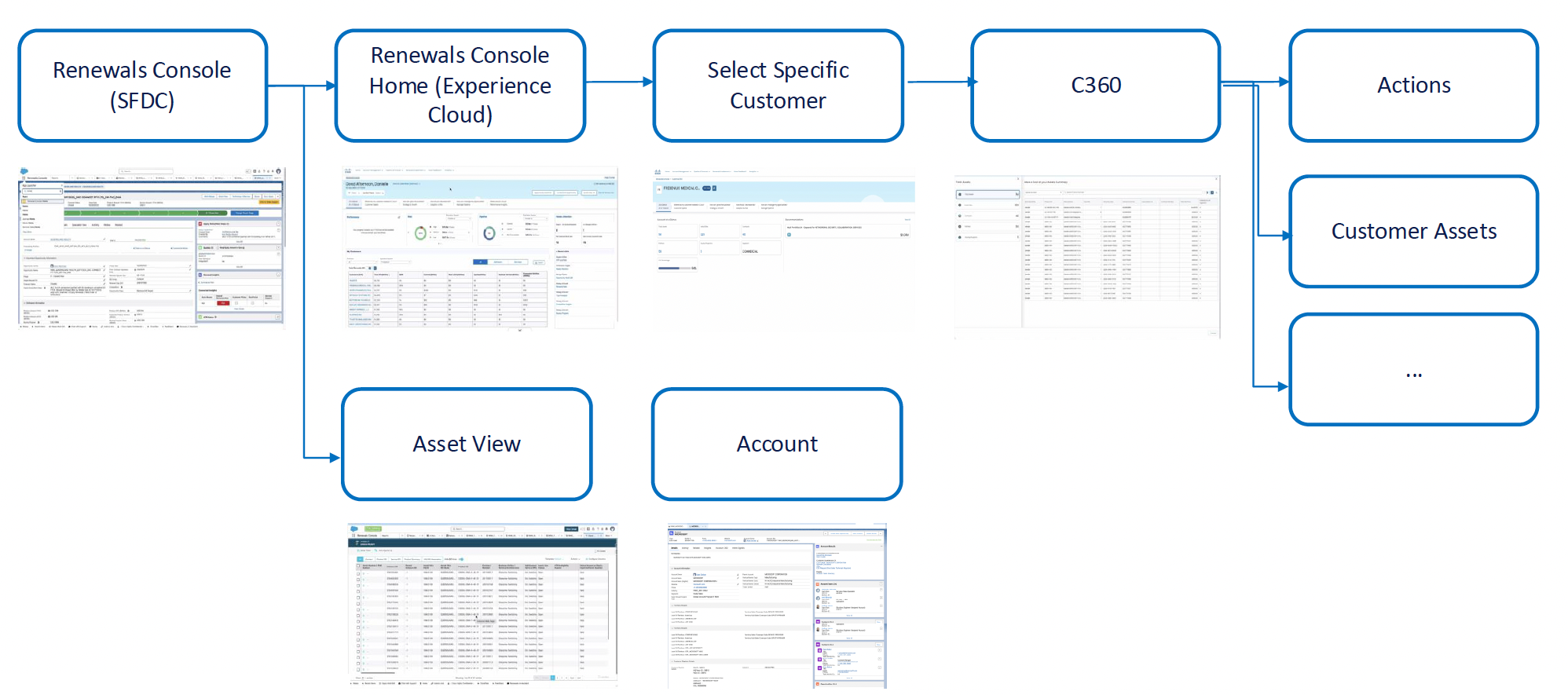
Current-state workflow diagram — Consolidating 4 distinct screens into a single view
Benefits of Consolidation
Bringing the information to the user, instead of the reverse
The core idea was simple: if a customer's information lived in one place, users would stop hunting for it and start being handed it.
For the user
- Improved experience — information is delivered directly, without needing to search or "hunt" for it
- Consolidated access — no more switching between multiple tools to gather customer data
- Reduced cognitive overload — less context-switching supports better decision-making
For the business
- Time savings — no need to explore multiple sources for the same information
- Increased productivity — sellers freed up to focus on activities that grow ARR
- Enhanced efficiency — faster response times and stronger customer interactions
Proposed Solution
Collapsing four steps into one AI Assistant
Instead of routing users through the Renewals Console and Renewals Console Home before they could even select a customer, I proposed an AI Assistant as the new entry point — surfacing C360 information conversationally, in place, without eliminating the existing consoles users already relied on.
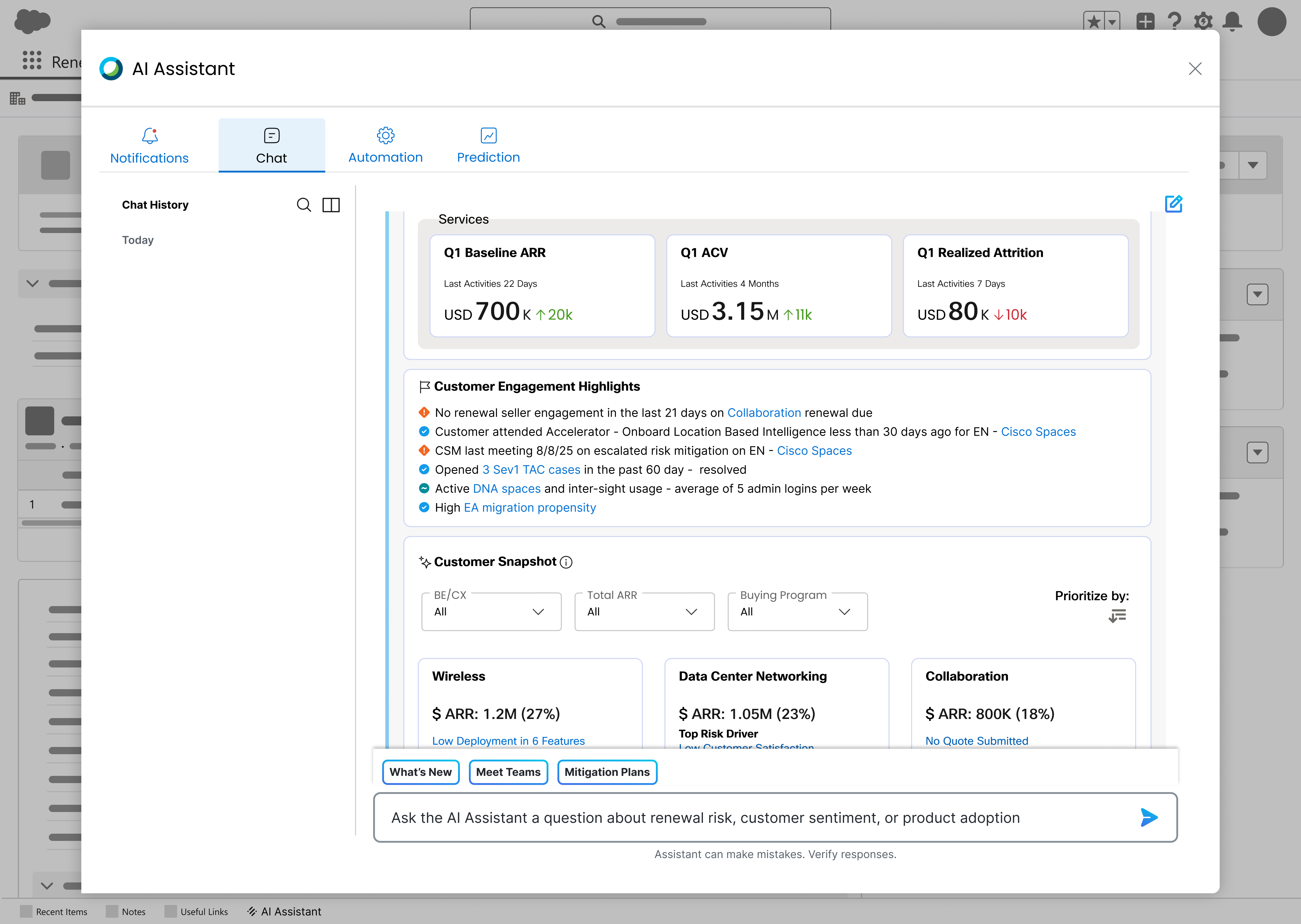
Customer 360 View
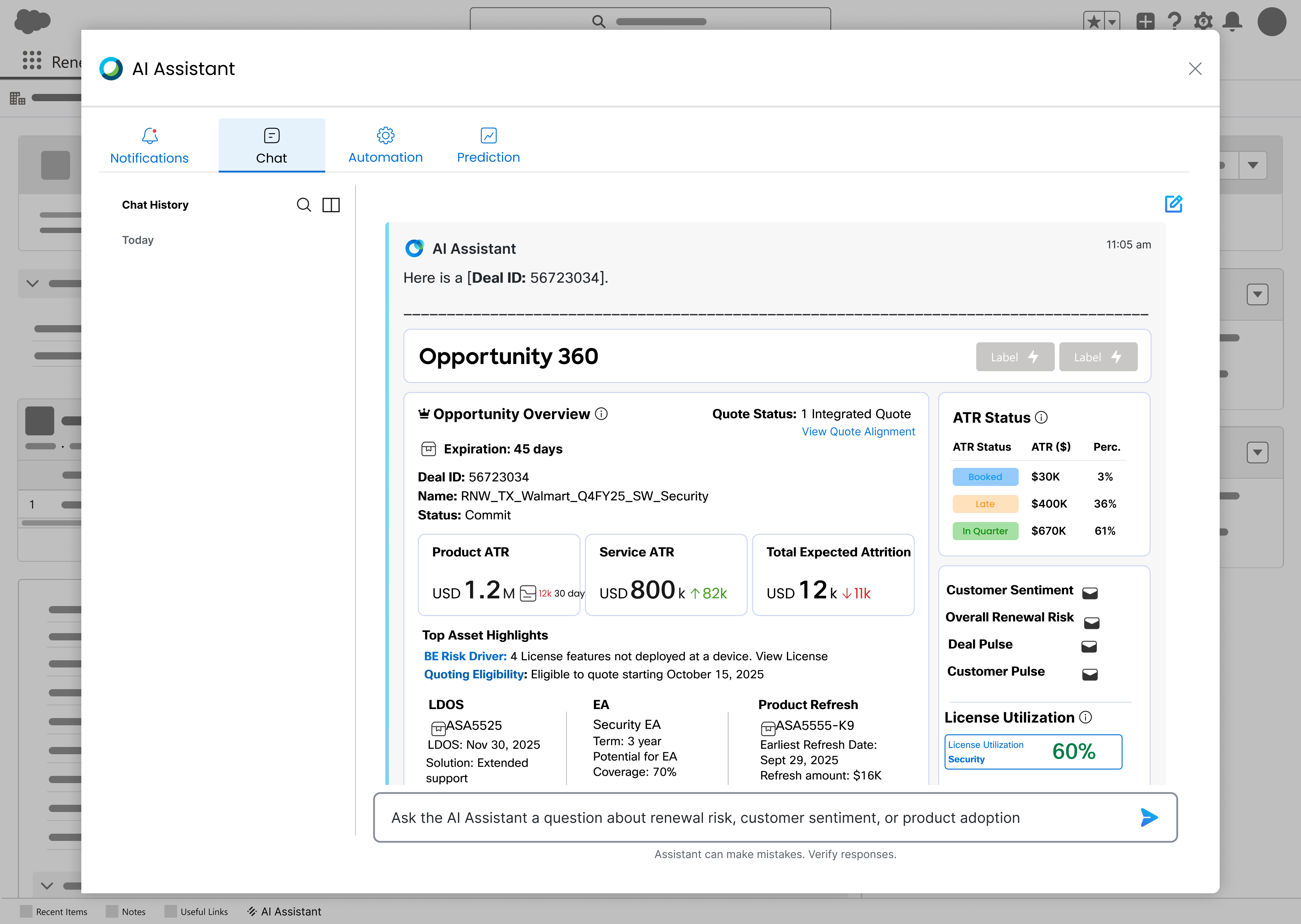
Opportunity 360 View.
Design Language
Building on an existing pattern, not starting from zero
Rather than designing a new AI interface in isolation, I combined Cisco's existing CX AI Assistant chat pattern with the data-dense panels already used elsewhere in the Renewals ecosystem — giving the proposal an interaction model users would recognize on day one.
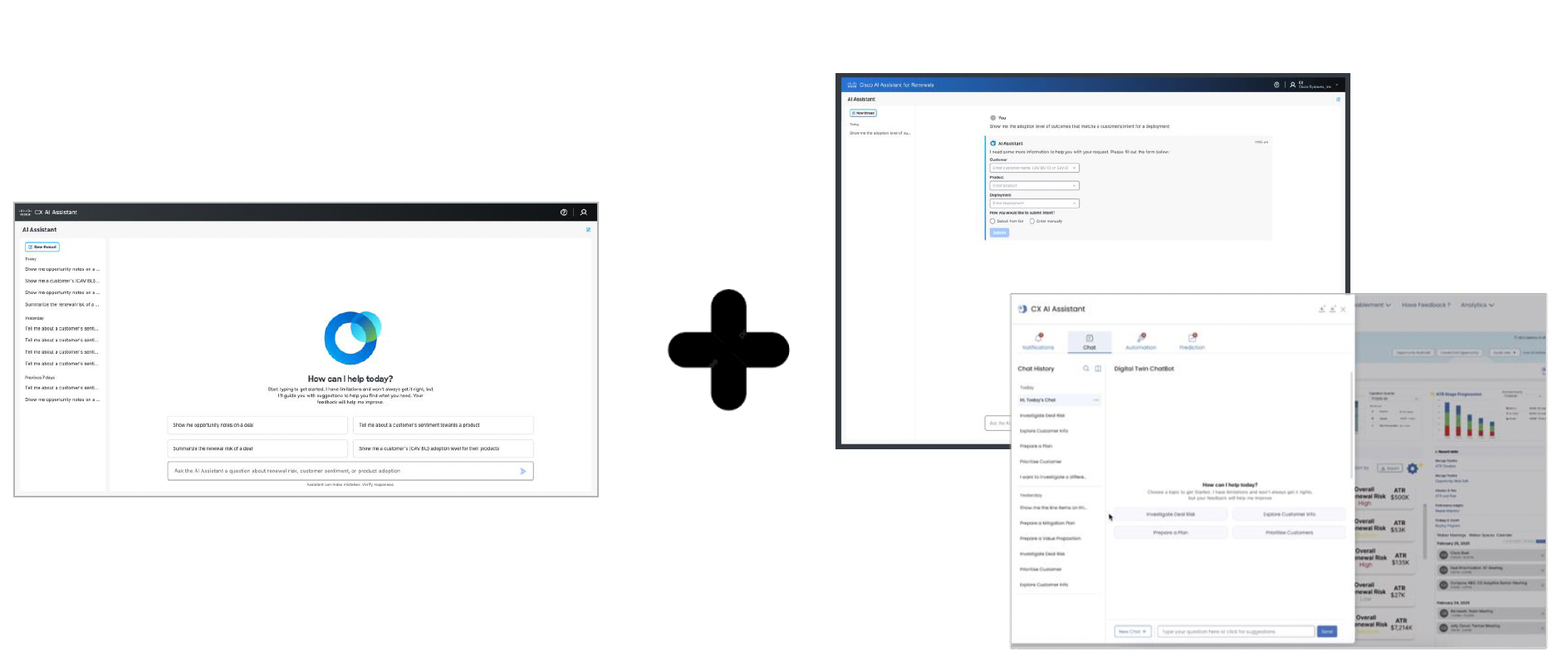
Design Consistency
Current C360 vs. Suggestion
From a static snapshot to a conversational, scored view
The current C360 view gives users a static account snapshot — totals, buying programs, contacts — that still requires manual interpretation. The proposed AI Assistant panel surfaces the same underlying data as a scored, conversational view: current-quarter pipeline, customer sentiment summary, a customer score across support cases and deployment scale, and quick actions like "What's New," "Meet the Team," and "Mitigation Plans" — all answerable directly through the assistant.
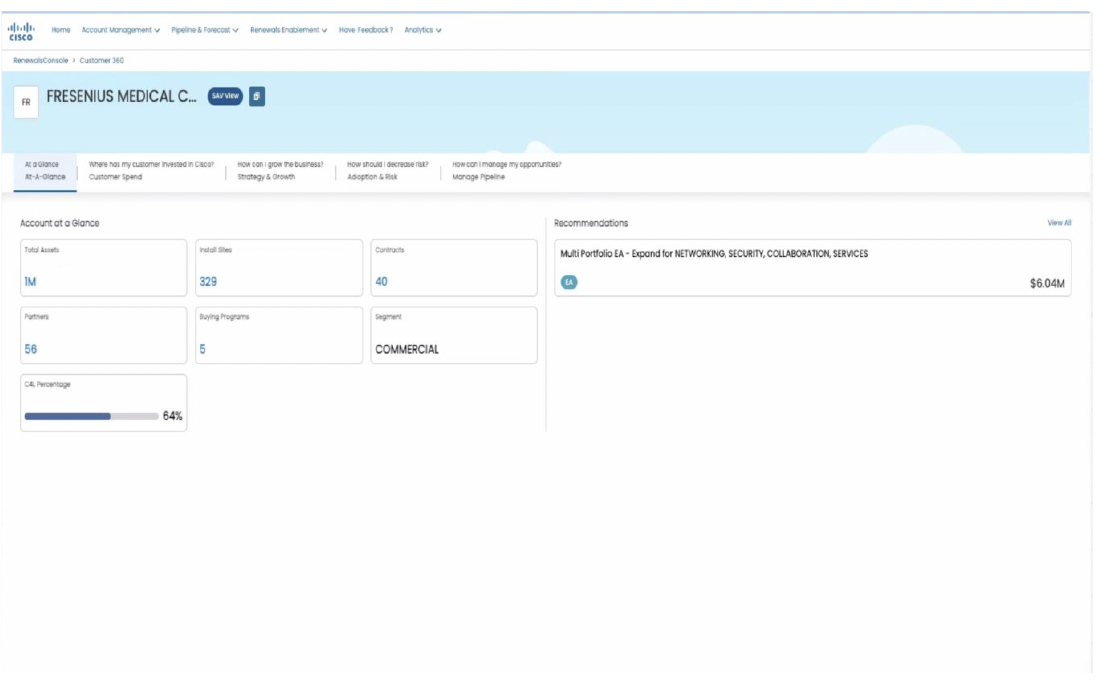
Current C360 — static account snapshot
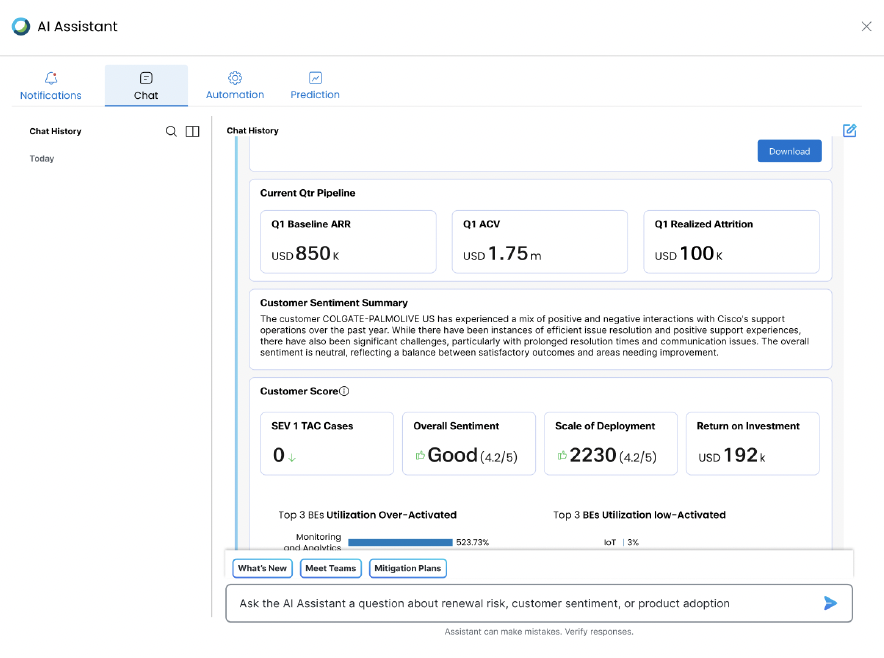
Suggested AI Assistant panel — scored, conversational view
Final Thoughts
A proposal grounded in what users already said they needed
Because the starting point was direct user feedback rather than an assumed solution, the proposal had a natural argument built in: every design decision traced back to a specific quote, workflow step, or pain point a Renewal Manager or Customer Success team member had already named. Presenting the current-state workflow alongside the proposed AI Assistant flow made the case concrete for stakeholders — not "trust the AI," but "here's the exact detour we're removing."
This case study reflects the discovery-to-proposal phase of the project; validation and rollout continued beyond what's captured here.